I’ve published a Chrome extension to the Chrome Web Store that allows anyone besides the meeting organizer to download Microsoft Teams meeting transcripts.
What Teams Transcript Downloader Can Do
When you record and transcribe a Teams meeting, the data is saved to the meeting organizer’s OneDrive. Regular participants who aren’t co-organizers are only given viewing permissions and cannot normally download this data.
If meeting participants want to save the recording or transcript data, they must ask the meeting organizer or co-organizer to download it for them.
Having to ask the organizer every time and wait for them to send it is quite inconvenient, right?
That’s where Teams Transcript Downloader comes in.
With Teams Transcript Downloader, meeting participants can download transcript data in VTT format directly from the recording viewing page.
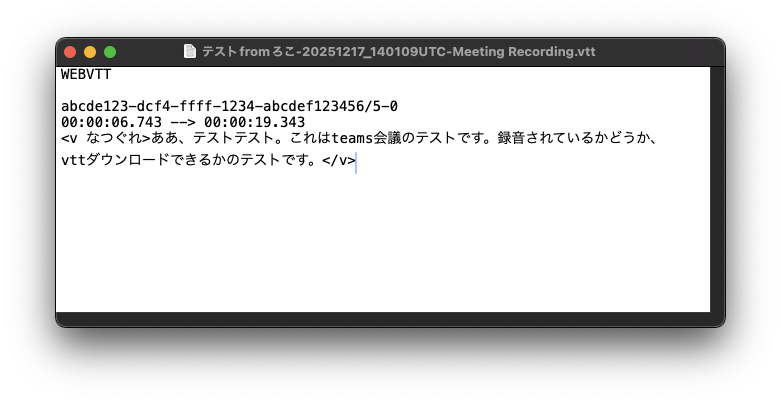
VTT stands for Video Text Tracks, a format that records video subtitle information with timestamps and speaker information in chronological order.
It’s highly readable and can be viewed in common text editors like Notepad. You can also directly feed it to AI services like ChatGPT or Microsoft Copilot as meeting conversation content.
How to Use
Install Teams Transcript Downloader from the Chrome Web Store.
Open the meeting recording playback screen in the browser where you installed the extension.
This extension does not work within the Teams client application.
If a transcript is available for download on that page, the icon will turn purple.
Click the icon to download the transcript in VTT format.
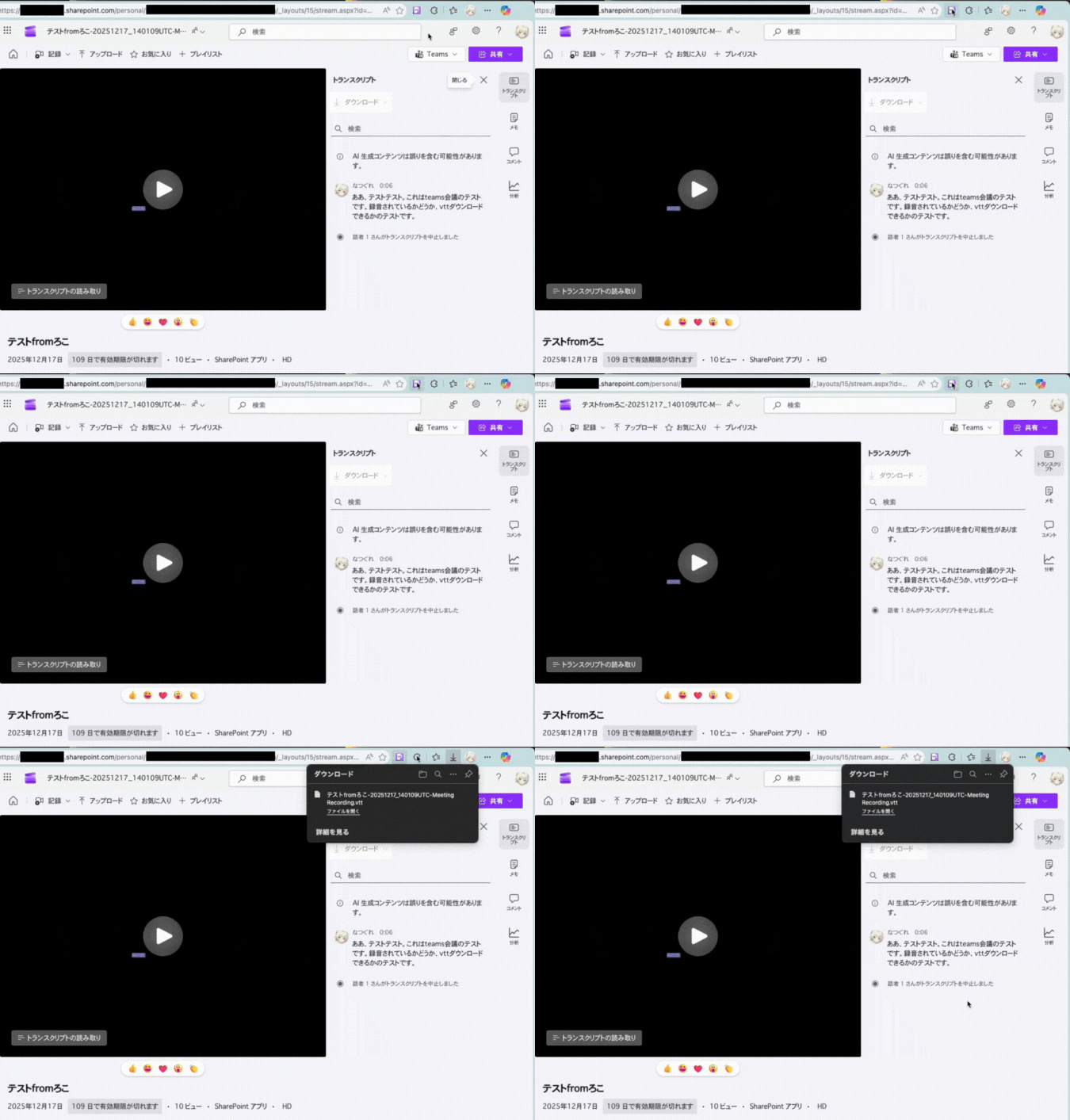
※If the icon is gray, downloading is not available.
If you meet the “Download Conditions” below but still cannot download, it may be a bug. Please report it via GitHub Issues.
Download Conditions
- You have access permission to the recording
- Transcription is enabled for the recording
- The organizer is a user in the same tenant
- The meeting recording is saved to SharePoint or OneDrive for Business
- You are viewing the meeting recording on Clipchamp
- URL is
*.sharepoint.com/*/stream.aspx*
- URL is
Supported Environments
Tested and confirmed to work on the following browsers:
- Google Chrome (143.0.7499.170)
- Microsoft Edge (143.0.3650.96)
- Vivaldi (7.7.3851.66)
It should also work on other browsers that support Chrome extensions, though not officially guaranteed.
Disclaimer
- This extension is unofficial and is not affiliated with Microsoft in any way.
- The service may become temporarily unavailable or discontinued due to changes in Microsoft’s specifications.
Source Code & Bug Reports
The source code is published on GitHub.
Please submit bug reports via GitHub Issues.
Privacy Policy
The privacy policy is posted on GitHub Pages.



コメント